
Latest Version
Version
1.6.4
1.6.4
Update
December 24, 2025
December 24, 2025
Developer
Teradek, LLC
Teradek, LLC
Categories
Internet
Internet
Platforms
Android
Android
Downloads
0
0
License
Free
Free
Package Name
com.teradek.android.vuer
com.teradek.android.vuer
Report
Report a Problem
Report a Problem
More About VUER - Live Video Monitor
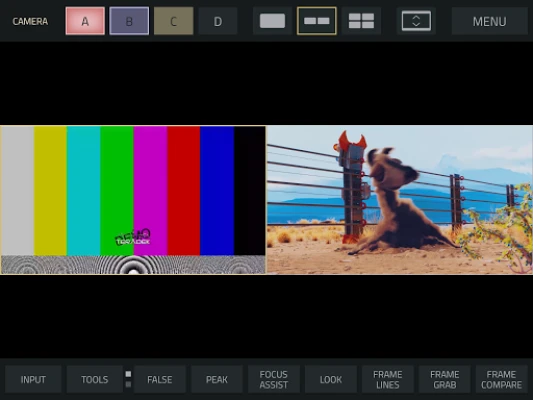
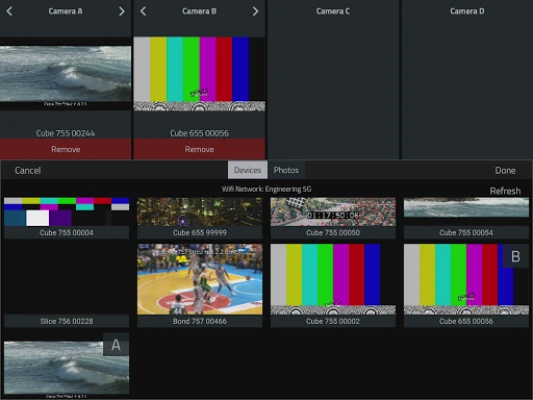
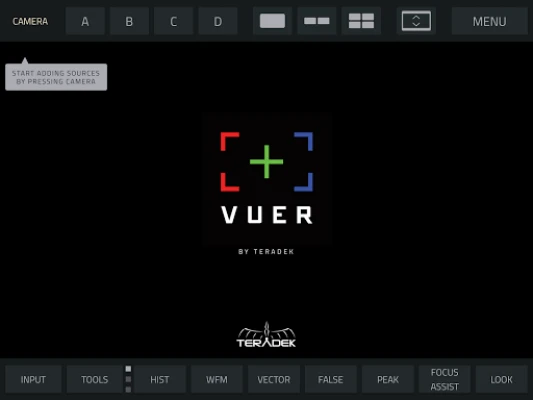
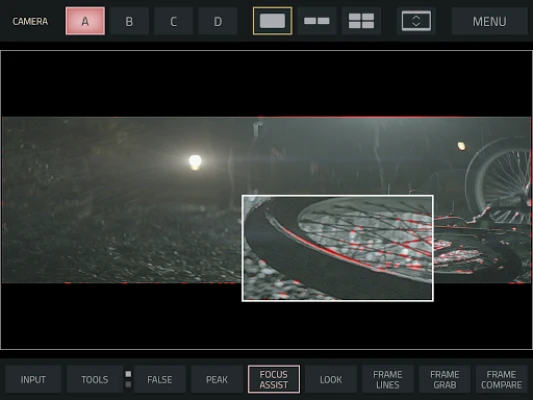
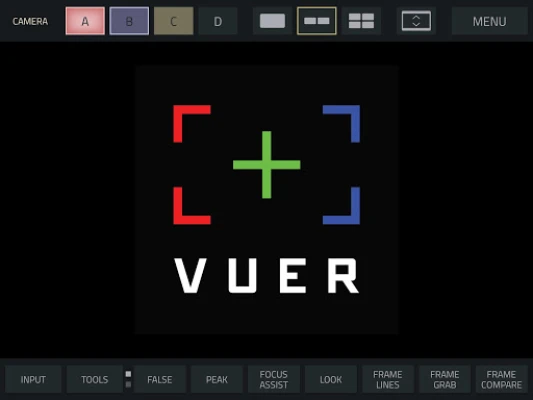
VUER is an application that allows you to monitor and analyze up to 4 Teradek encoder video feeds in real-time, all in 1080p HD. With a built-in histogram, false color, focus peaking, waveform monitor and vectorscope, digging into the details of your video streams has never been easier.
TOOL BUTTONS PAGE 1:
HISTOGRAM -Adjust display mode (fullscreen, overlay, top and bottom), type of chart (luminance, RGB Parade, RGB Overlay), Opacity, Position and Size
WAVEFORM–Adjust display mode (fullscreen, overlay, top and bottom), type of chart (luminance, RGB Parade, RGB Overlay), Intensity, Opacity, Position and Size
VECTORSCOPE–Adjust display mode (fullscreen, overlay, top and bottom), type of chart (Cr/Cb or H/S), Intensity, Opacity, Overlay Position, and Overlay Size
FALSE COLOR– Select a Full-range IRE Guide or a Discrete guide (similar to ARRI or RED camera false color guides), enable IRE Guide overlay for reference on-screen
PEAKING–adjust peaking threshold
FOCUS ASSIST–focus assist color and intensity
TOOLS BUTTONS PAGE 2:
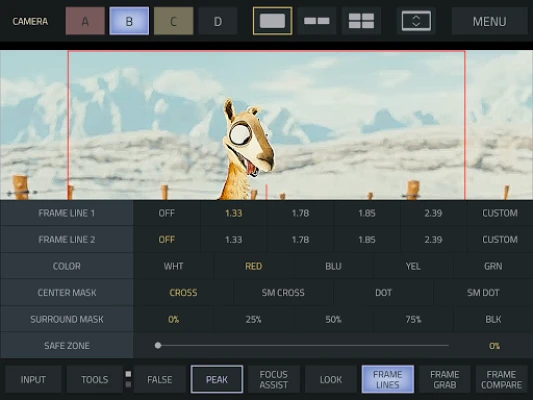
FRAMELINES–Adjust 2 sets of preset or custom aspect ratio created with a simple function (x:x), Frameline Color, Center mark, Surround Mask opacity, and Safe Zone %
FRAME GRAB–Naming Prefix, File naming (name each grab manually or use prefix setting, Manage grabs (Shortcut to framegrab manager thumbnail library)
FRAME COMPARE–Overlay Image selection, Blend Mode selection ( interpolate, difference, screen, exclusion and geometric), Alpha % blend slider
DISTORT–select Anamorphic Desqueeze aspect ratio (1:1, 1.33:1, 1.5:1, 1.78:1, 2:1 or Custom), Flip and / or Mirror function
MAGNIFY–Magnifier Size (Small, Medium or Large), Magnifier Outline Color ( white, red, blue, yellow, green or no outline)
HISTOGRAM -Adjust display mode (fullscreen, overlay, top and bottom), type of chart (luminance, RGB Parade, RGB Overlay), Opacity, Position and Size
WAVEFORM–Adjust display mode (fullscreen, overlay, top and bottom), type of chart (luminance, RGB Parade, RGB Overlay), Intensity, Opacity, Position and Size
VECTORSCOPE–Adjust display mode (fullscreen, overlay, top and bottom), type of chart (Cr/Cb or H/S), Intensity, Opacity, Overlay Position, and Overlay Size
FALSE COLOR– Select a Full-range IRE Guide or a Discrete guide (similar to ARRI or RED camera false color guides), enable IRE Guide overlay for reference on-screen
PEAKING–adjust peaking threshold
FOCUS ASSIST–focus assist color and intensity
TOOLS BUTTONS PAGE 2:
FRAMELINES–Adjust 2 sets of preset or custom aspect ratio created with a simple function (x:x), Frameline Color, Center mark, Surround Mask opacity, and Safe Zone %
FRAME GRAB–Naming Prefix, File naming (name each grab manually or use prefix setting, Manage grabs (Shortcut to framegrab manager thumbnail library)
FRAME COMPARE–Overlay Image selection, Blend Mode selection ( interpolate, difference, screen, exclusion and geometric), Alpha % blend slider
DISTORT–select Anamorphic Desqueeze aspect ratio (1:1, 1.33:1, 1.5:1, 1.78:1, 2:1 or Custom), Flip and / or Mirror function
MAGNIFY–Magnifier Size (Small, Medium or Large), Magnifier Outline Color ( white, red, blue, yellow, green or no outline)
Rate the App
Add Comment & Review
User Reviews
Based on 0 reviews
No reviews added yet.
Comments will not be approved to be posted if they are SPAM, abusive, off-topic, use profanity, contain a personal attack, or promote hate of any kind.











More »

Popular Apps

Formula 1:Guess F1 Driver QuizGryffindor apps

It Happened Here・Hidden ObjectElephant Games AR LLC

Tractor Games Kids Farm TruckTimpy Games For Kids, Toddlers & Baby
Speech to Text: Transcribe STTVoiser Teknoloji Limited Sirketi

Bible Reading Plans -Study KJVVerselingo Communications Limited

Contact Lenses TimeStefano Brandoli

MTV von 1860 e.V. Heidevmapit.de

Formula Unlimited RacingFNK Games

Jewish Guide - GrazFluxguide

Tile Fun - Triple Puzzle GameMint XX Games
More »
Editor's Choice
Finer Player 4.76Wen Duan

Vendor appAapkapainter

Vendor HubChowdeck Logistics

Google TranslateGoogle LLC
Contact Lenses TimeStefano Brandoli

TAMRON Lens Utility MobileTAMRON

Tearing Mystery BagsNLC Dev

Air Quality & Pollen - AirCareAirCare by EarthCare

Plume Labs: Air Quality Appplumelabs.apps

Vertical HotelBECAR Asset Management Group